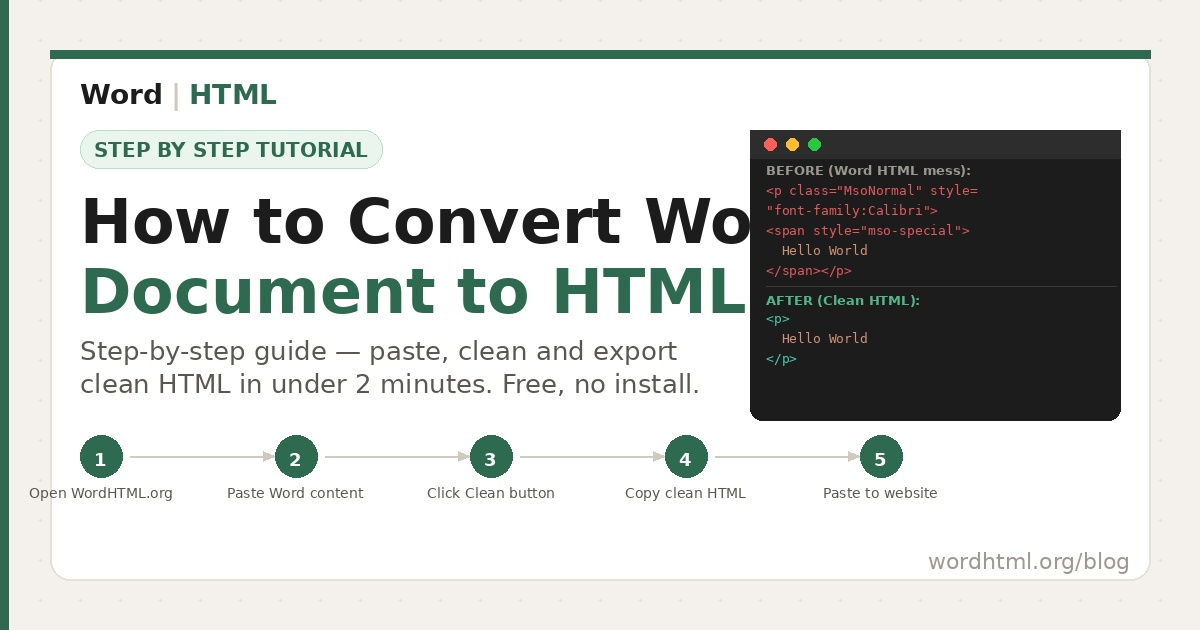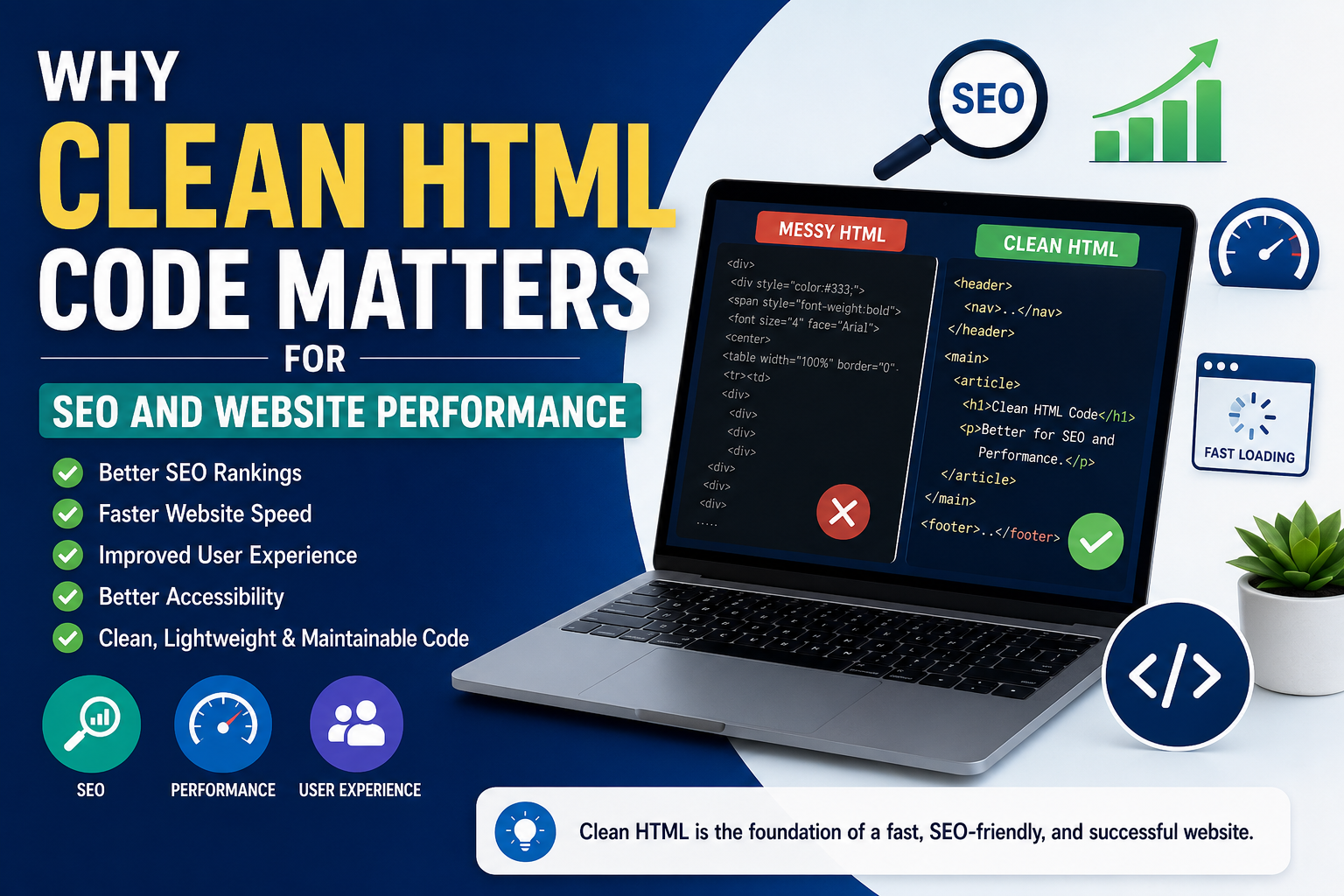
Search engines like Google don't just read your content—they analyze your website's HTML structure to understand what your pages are about. At the same time, web browsers rely on HTML to render your content correctly across desktops, tablets, and smartphones.
Unfortunately, many websites contain bloated HTML generated by Microsoft Word, outdated website builders, or poorly optimized page editors. This unnecessary code makes websites slower, harder to maintain, and less efficient for search engines to crawl.
The good news is that cleaning your HTML doesn't require advanced programming knowledge. By following a few best practices and using the right HTML cleaning tools, you can significantly improve your website's performance, user experience, and SEO.
In this guide, you'll learn everything you need to know about clean HTML, why it matters, and how it helps create faster, more search-engine-friendly websites.
What Is Clean HTML Code?
Clean HTML refers to well-structured, organized, and standards-compliant markup that contains only the code necessary to display a webpage correctly. It avoids unnecessary tags, redundant inline styles, excessive nesting, and outdated HTML elements.
Think of HTML as the blueprint of your website. When the blueprint is simple and organized, browsers can render pages faster, developers can maintain them more easily, and search engines can understand the content with greater accuracy.
Characteristics of Clean HTML
- Uses semantic HTML5 elements
- Contains proper heading hierarchy
- Includes meaningful alt text for images
- Removes unnecessary inline styles
- Avoids empty HTML elements
- Uses valid HTML markup
- Separates HTML structure from CSS styling
- Follows modern web standards
If you frequently copy content from Microsoft Word, your HTML may contain hundreds of unnecessary tags and inline styles. Running it through an HTML Cleaner before publishing can dramatically reduce page size and improve readability.
Why Clean HTML Matters
Many website owners believe HTML is only important for developers. In reality, every visitor, browser, and search engine interacts with your HTML before displaying your content.
Poorly written HTML often results in slower websites, difficult maintenance, accessibility problems, and lower search engine visibility. On the other hand, clean HTML provides a strong foundation for better website performance and long-term SEO success.
Benefits of Clean HTML
- Improves website loading speed
- Enhances SEO performance
- Makes websites easier to maintain
- Improves accessibility
- Supports responsive design
- Reduces unnecessary page size
- Helps browsers render pages efficiently
- Provides a better user experience
Whether you're building a personal blog, an eCommerce store, or a business website, investing time in writing clean HTML pays off through faster loading times, improved search rankings, and happier users.
How Clean HTML Improves SEO
Search engine optimization isn't just about keywords and backlinks. Google's crawlers analyze your website's HTML structure to understand the relationships between headings, paragraphs, images, navigation menus, and internal links.
When your HTML is clean and semantic, search engines can crawl your website more efficiently, making it easier to understand your content and index your pages correctly.
1. Better Crawlability
Search engine bots have a limited crawl budget. Excessive HTML code, duplicate markup, and unnecessary elements force crawlers to process more information than needed. Clean HTML reduces this overhead, allowing bots to focus on your valuable content.
2. Improved Content Structure
Using semantic HTML elements like <header>, <main>, <article>, and <section> helps search engines understand the purpose of each part of your page.
3. Proper Heading Hierarchy
A well-structured page should include one H1 heading followed by logical H2 and H3 sections. This hierarchy improves readability for both users and search engines while making your content easier to scan.
4. Better Internal Linking
Clean HTML makes it easier to organize navigation menus, breadcrumbs, and contextual links. Strong internal linking helps distribute page authority and improves website discoverability.
5. Rich Search Results
Well-structured HTML combined with Schema Markup increases the likelihood of earning rich snippets in search results, including FAQs, breadcrumbs, and featured answers.
Google uses HTML structure to identify titles, headings, navigation, structured data, and primary content. Cleaner HTML helps search engines understand your pages more accurately.
Website Speed Benefits of Clean HTML
Website speed is one of the most important factors affecting user experience and search engine rankings. Visitors expect web pages to load within a few seconds. If your website is slow, users are more likely to leave before reading your content.
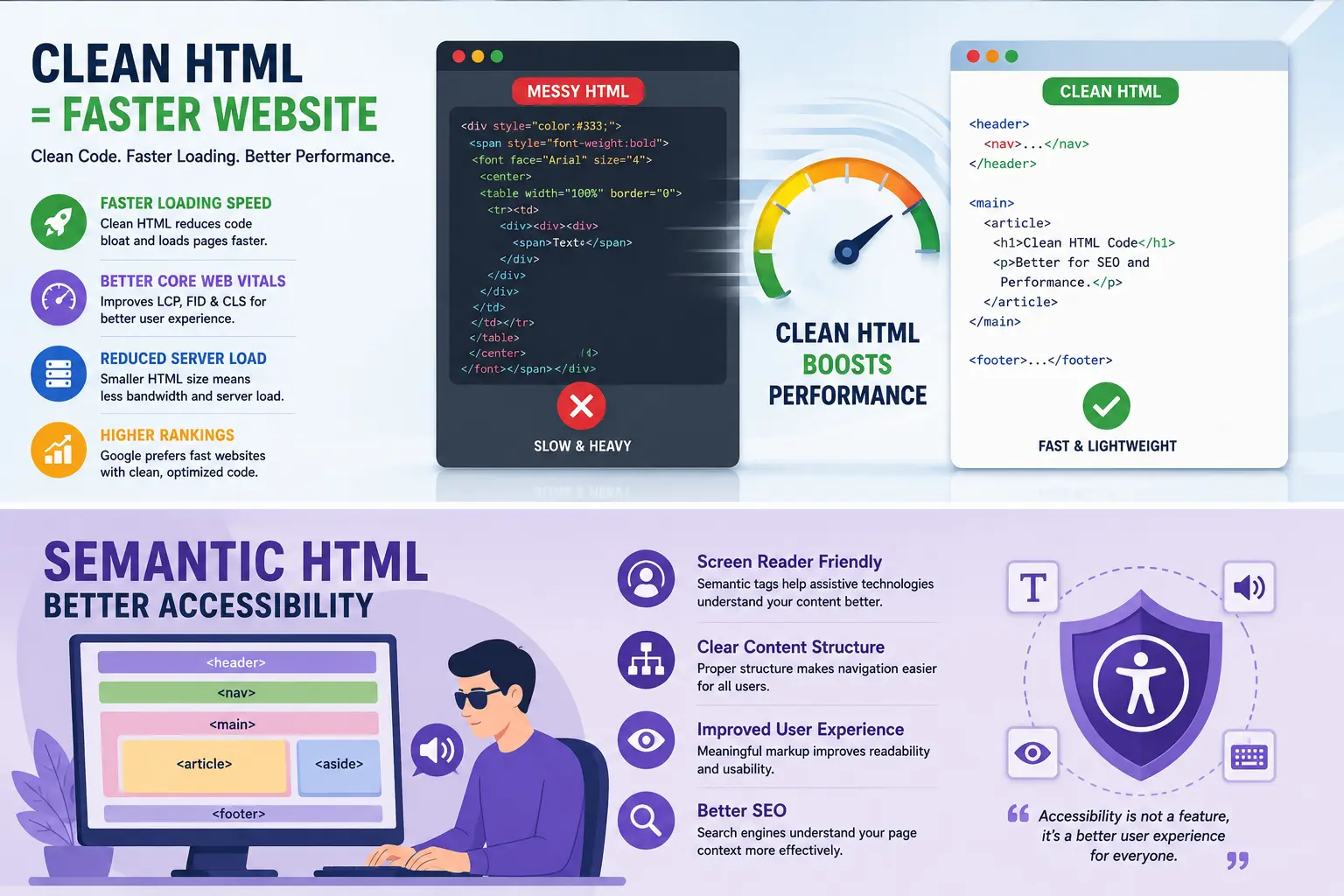
One of the biggest causes of slow-loading pages is bloated HTML. When a webpage contains unnecessary markup, browsers must download, parse, and render more code than required. This increases loading time and negatively affects Core Web Vitals.
How Clean HTML Makes Websites Faster
- Reduces page size by removing unnecessary markup.
- Speeds up browser rendering.
- Improves First Contentful Paint (FCP).
- Enhances Largest Contentful Paint (LCP).
- Helps improve Core Web Vitals.
- Reduces server bandwidth usage.
- Creates a smoother browsing experience on mobile devices.
Although HTML files are generally smaller than images or videos, reducing unnecessary HTML still contributes to faster rendering and better overall page performance.
Removing hundreds of unnecessary inline styles and empty HTML elements can noticeably reduce your page size, especially on pages copied directly from Microsoft Word or visual editors.
Better User Experience with Clean HTML
User experience (UX) plays a major role in website success. A fast, organized, and responsive website encourages visitors to stay longer, browse additional pages, and engage with your content.
Clean HTML creates a strong foundation for responsive layouts and ensures browsers can interpret your content correctly across different devices.
Benefits for Website Visitors
- Faster page loading.
- Cleaner page layouts.
- Improved readability.
- Better mobile responsiveness.
- Reduced layout shifts.
- Smoother scrolling experience.
- More reliable navigation menus.
A positive user experience also reduces bounce rates and increases the likelihood that visitors will return to your website.
Clean HTML Improves Accessibility
Web accessibility ensures that people of all abilities—including users who rely on assistive technologies like screen readers—can access your content.
Semantic HTML provides meaning to webpage elements, making navigation easier for both users and accessibility tools.
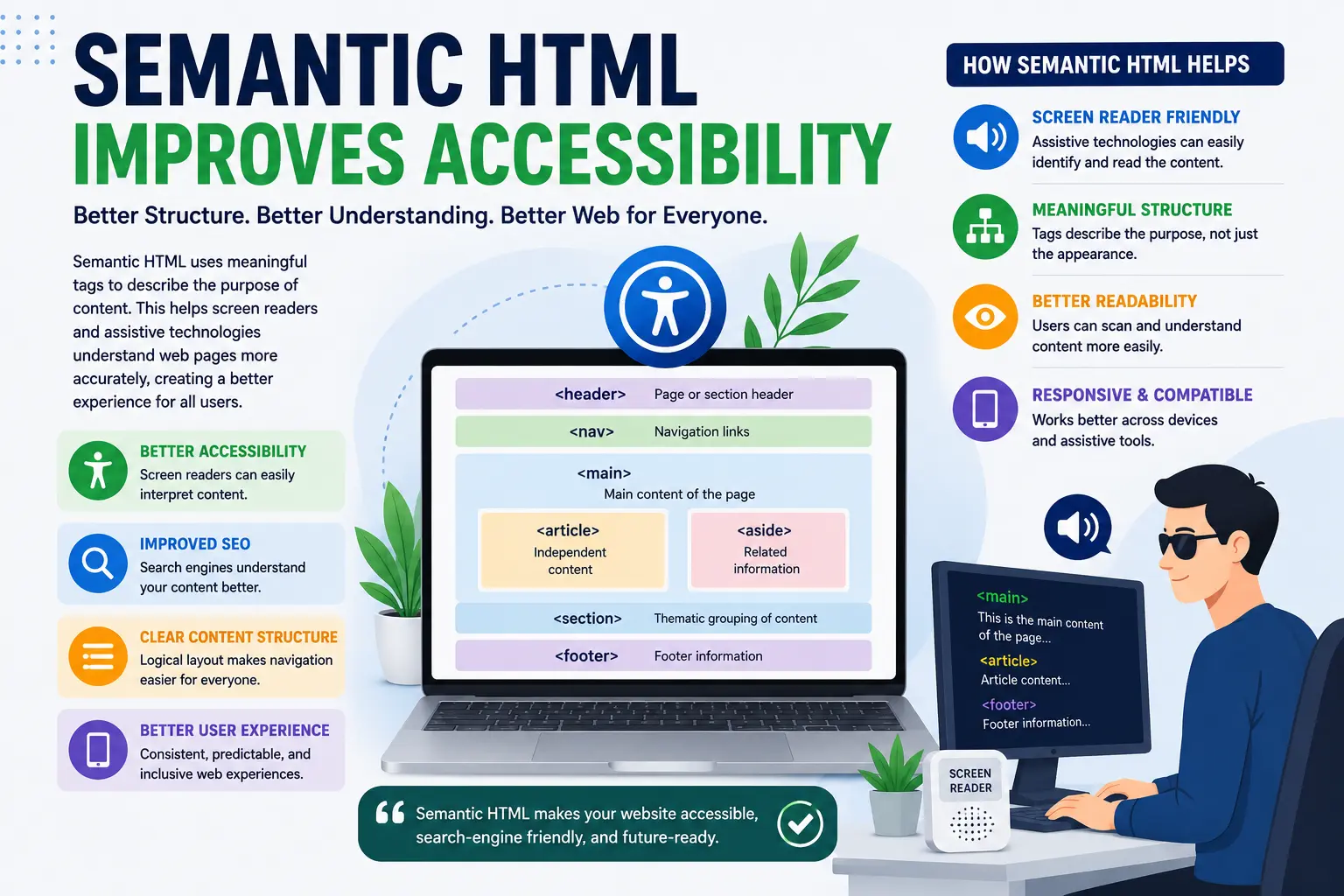
Examples of Semantic HTML
| Semantic Element | Purpose |
|---|---|
| <header> | Represents the page or section header. |
| <nav> | Defines navigation links. |
| <main> | Contains the primary page content. |
| <article> | Represents standalone content. |
| <section> | Groups related content. |
| <footer> | Defines footer information. |
Using semantic HTML also improves SEO because search engines better understand the purpose and structure of your content.
Easy Website Maintenance
Clean HTML is significantly easier to maintain than cluttered code. Developers spend less time debugging pages, making updates, and fixing layout issues.
Imagine editing a webpage with thousands of unnecessary nested elements. Even a simple content update becomes difficult when the code is disorganized.
Advantages for Developers
- Better code readability.
- Simpler debugging.
- Faster development workflow.
- Easier collaboration among team members.
- Reduced chance of coding errors.
- Improved long-term maintainability.
Whether you're working on a personal blog or a large business website, organized HTML saves time and reduces future maintenance costs.
Common Problems Caused by Messy HTML
Messy HTML usually results from copying content from Microsoft Word, using outdated website builders, or relying heavily on drag-and-drop editors.
1. Excessive Inline Styles
Inline CSS repeats styling throughout the page, making HTML larger and harder to maintain. External CSS files are usually a much better approach.
2. Empty HTML Elements
Unused elements increase page size without adding any value.
3. Deeply Nested DIVs
Too many nested containers make HTML difficult to read and can slightly increase rendering complexity.
4. Microsoft Word Formatting
Copying directly from Word often inserts unnecessary spans, inline formatting, Office-specific markup, and hidden styles that are not needed on the web.
5. Deprecated HTML Tags
Older tags like <font> and <center> should be replaced with modern HTML5 elements and CSS.
6. Duplicate IDs
Every HTML ID should be unique. Duplicate IDs can cause JavaScript issues and reduce code quality.
7. Missing ALT Attributes
Images without descriptive ALT text reduce accessibility and miss SEO opportunities.
Clean HTML vs Messy HTML
| Feature | Clean HTML | Messy HTML |
|---|---|---|
| SEO | Excellent | Poor Structure |
| Loading Speed | Fast | Slow |
| Accessibility | High | Limited |
| Maintenance | Easy | Difficult |
| Code Size | Small | Large |
| Readability | Excellent | Poor |
| Developer Friendly | Yes | No |
| Browser Compatibility | Better | Can Cause Issues |
Clean Your HTML in Seconds
Instead of manually removing unnecessary formatting, use the WordHTML HTML Cleaner to generate lightweight, well-structured HTML that's easier to edit, faster to load, and better optimized for search engines.
? Remove unwanted HTML tags
? Eliminate Microsoft Word formatting
? Generate cleaner HTML5 markup
? Improve website performance
HTML Best Practices for Better SEO and Website Performance
Writing clean HTML is easier when you follow a few proven best practices. These techniques help create faster, more accessible, and search-engine-friendly web pages while making your code easier to maintain.
1. Use Semantic HTML Elements
Instead of relying on generic <div> elements everywhere, use semantic HTML5 tags like <header>, <main>, <section>, <article>, and <footer>. These elements provide meaning to your content and help both users and search engines understand your page structure.
2. Maintain a Proper Heading Structure
Your page should have only one H1 heading followed by logical H2 and H3 headings. A clear heading hierarchy improves readability and helps search engines identify the most important topics on the page.
3. Keep HTML Simple
Avoid unnecessary nested elements and empty tags. Every HTML element should serve a purpose. Simpler code loads faster and is easier to debug.
4. Separate HTML, CSS, and JavaScript
Keep your HTML focused on structure, CSS for styling, and JavaScript for functionality. Avoid excessive inline styles whenever possible.
5. Optimize Images
- Use descriptive file names.
- Add meaningful ALT text.
- Compress images before uploading.
- Use modern formats like WebP where supported.
- Enable lazy loading for below-the-fold images.
6. Validate Your HTML
Validate your HTML regularly to identify missing closing tags, invalid nesting, duplicate IDs, and syntax errors before publishing.
How to Clean HTML Code
Cleaning HTML doesn't have to be difficult. Whether you're working with content copied from Microsoft Word or editing an old webpage, following a simple workflow can dramatically improve code quality.
- Remove unnecessary formatting.
- Delete empty HTML tags.
- Remove inline styles whenever possible.
- Replace deprecated tags with HTML5 semantic elements.
- Optimize images and file sizes.
- Validate your HTML.
- Test the page on desktop and mobile devices.
- Publish only after reviewing the final HTML output.
If you're converting Microsoft Word documents into HTML, using an HTML cleaner before publishing helps remove unnecessary Office-specific formatting, resulting in cleaner, smaller, and easier-to-maintain code.
Common Mistakes to Avoid
Even experienced developers occasionally introduce unnecessary complexity into HTML documents. Avoiding the following mistakes helps keep your website optimized.
- Using multiple H1 headings on one page.
- Copying content directly from Microsoft Word without cleaning it.
- Adding excessive inline CSS.
- Creating deeply nested DIV structures.
- Leaving empty HTML elements in the document.
- Using deprecated HTML tags.
- Ignoring accessibility guidelines.
- Skipping HTML validation before publishing.
- Forgetting image ALT attributes.
- Using duplicate HTML IDs.